Unknown's avatar

About Hojin

I am very happy to help somebody for whatever as much as I can.

Base on the log

A suspicious user have been access to login a web page in order to login brute force attack. So Security engineer trying to block by using a sort of Network appliance. For this reason he/she needs a number of limit access time.

Basically, we should gather various logs and it should be able to search. The effectiveness is the next step. On based these systems, we have to extract a number from the log, not estimation so as to get the limit number.

In my case, I used the Splunk for it as below.

earliest=”4/2/2014:13:50:00″ latest=”4/2/2014:14:00:00″ 
source=IIS cs_method=POST
(cs_uri_stem=”/Authentication.asmx*” OR cs_uri_stem=”/Registration.asmx*”)
| where NOT cidrmatch(10.10.0.0/16″,c_ip)
| timechart span=5s limit=5 count by c_ip usenull=f useother=f

access_top_5

Eventually, I can define the limit number is 20 per 5 seconds as above graph.
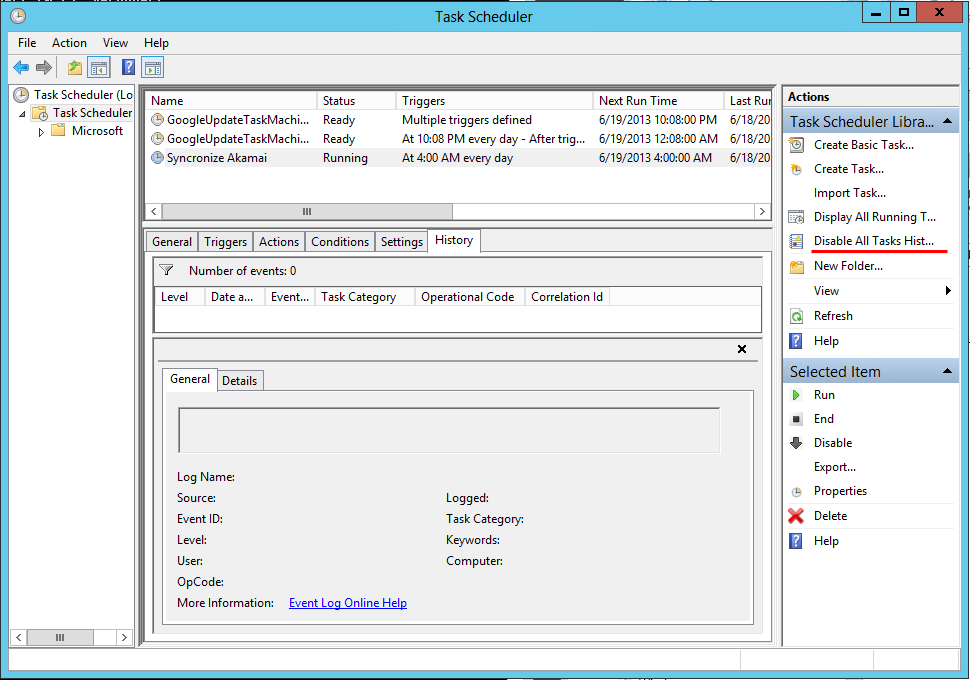
 

How to enable the history of the Windows Tasks Scheduler

There are many options in a program or operating system but most people didn’t take care of those. Actually, the options are very helpful to debugging or troubleshooting. And I think that we need to prepare what is the options before under the attack by hacker.

Here, there is an option which is default disabled. It’s the history of the Windows Tasks Scheduler. This option show us the chronological list of a task. Should set the option enabled, if you want to show the history,

Tasks_Schedule

Interpretation of Anti-DDoS Appliance Interface Graph

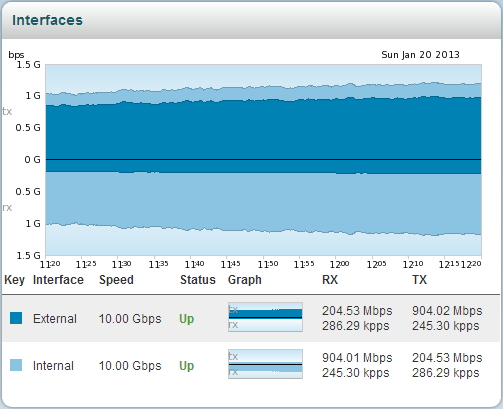
A below graph is shown throughput of Anti-DDoS application – Pravail from Arbor Networks. Can you interpret it? In my case, I can’t it but now I can do it 🙂

Pravail interface

First of all, we need to know some terminology included the graph in order to interpretation.

  • tx: TransmitPravail location
  • rx: Receive
  • External & Internal: Those are based on appliance. Once you see the left picture, you can easily understand these terminology.

Network traffic is flowing as follows.
(1) external rx –> (2) internal tx –> (3) internal rx –> (4) external tx

For example, if you under volumetric DDoS attack you will see a graph as below. A red arrow in the graph point to apply active mode on Anti-DDoS appliance.

Pravail_against_DDoS

The dropped point is shown that Anti-DDoS appliance was blocking malicious traffic inflow to internal area.

File size intentionally made bigger

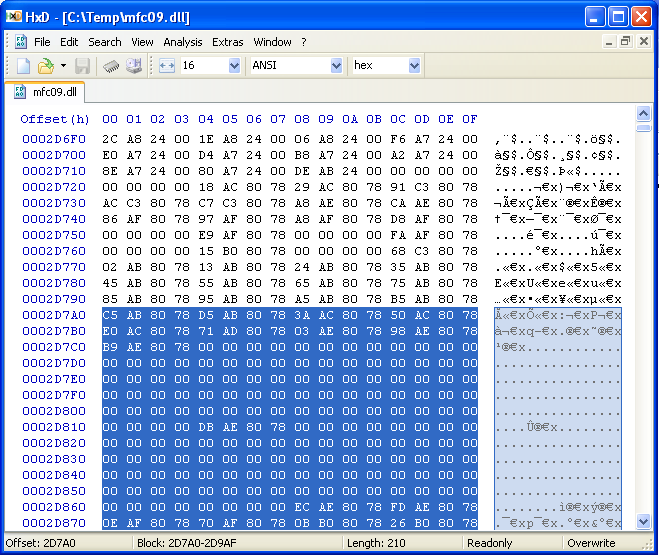
I saw one malware (as below) that is bigger than others.

It may be made protecting upload to virustotal.com.
To protect upload to virustotal.com, file size be made bigger 32MB. Because virustotal.com can upload a file under 32MB at a time.

You can simply search these files by Windows Search Filter in Windows 7. For example, “ext:(exe OR dll) AND size:>32MB” (ref: Using Advanced Query Syntax Programmatically)